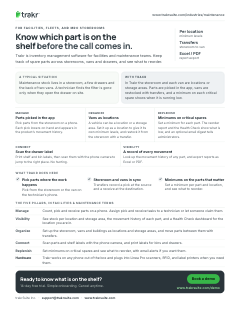
Parts picked in the app
Pick parts from the storeroom on a phone. Each pick lowers on-hand and appears in the product’s movement history.

For facilities, fleets, and MRO storerooms
Trakr is inventory management software for facilities and maintenance teams. Keep track of spare parts across storerooms, vans and drawers, and see what to reorder.
Pick parts from the storeroom on a phone. Each pick lowers on-hand and appears in the product’s movement history.
A vehicle can be a location or a storage area. Set it up as a location to give it its own minimum levels, and restock it from the storeroom with a transfer.
Set a minimum for each part. The reorder report and the Health Check show what is low, and an optional email digest tells administrators.
Print shelf and bin labels, then scan them with the phone camera to jump to the right place. No hunting.
Look up the movement history of any part, and export reports as Excel or PDF.
A typical situation
Maintenance stock lives in a storeroom, a few drawers and the back of two vans. A technician finds the filter is gone only when they open the drawer on site.
With Trakr
In Trakr the storeroom and each van are locations or storage areas. Parts are picked in the app, vans are restocked with transfers, and a minimum on each critical spare shows when it is running low.
Pick from the storeroom or the van on the technician’s phone.
Transfers record a pick at the source and a receive at the destination.
Set a minimum per part and location, and see what to reorder.
This page on one printable sheet, sent to your inbox.
Check your inbox. We sent the Facilities & maintenance one-pager. Download the PDF now
Enter a full email address, like name@company.com.
Something went wrong. Try again, or email support@trakrsuite.com.
Count, pick and receive parts on a phone. Assign pick and receive tasks to a technician or let someone claim them.
See stock per location and storage area, the movement history of each part, and a Health Check dashboard for the location you are in.
Set up the storeroom, vans and buildings as locations and storage areas, and move parts between them with transfers.
Scan parts and shelf labels with the phone camera, and print labels for bins and drawers.
Set minimums on critical spares and see what to reorder, with email alerts if you want them.
Yes. A vehicle can be a location or a storage area. Minimum levels belong to a location, so set the van up as a location if you want it to have its own. Restock it from the storeroom with a transfer, which records a pick at the source and a receive at the destination.
Set a minimum level for the part at each location. Products below their minimum appear on the reorder report and the Health Check dashboard, and administrators can switch on a daily, weekly or monthly low-stock email.
Yes. Print shelf and bin labels from the web app or from the mobile app to supported label printers, then scan them with the phone camera.
Access is assigned per location, so this works when each van or site is set up as a location. Assign each user to the locations they work in and give them a built-in role or a custom one. For each module, a role can be allowed to read, create, update or delete.
14-day free trial. Simple onboarding. Cancel anytime.