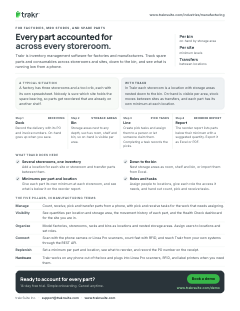
Step 1Receiving
Dock
Record the delivery with its PO and invoice numbers. On-hand goes up when you save.

For factories, MRO stores, and spare parts
Trakr is inventory management software for factories and manufacturers. Track spare parts and consumables across storerooms and sites, down to the bin, and see what is running low from a phone.
Record the delivery with its PO and invoice numbers. On-hand goes up when you save.
Storage areas nest to any depth, such as room, shelf and bin, so on-hand is visible per area.
Create pick tasks and assign them to a person or let someone claim them. Completing a task records the picks.
The reorder report lists parts below their minimum with a suggested quantity. Export it as Excel or PDF.
A typical situation
A factory has three storerooms and a tool crib, each with its own spreadsheet. Nobody is sure which site holds the spare bearing, so parts get reordered that are already on another shelf.
With Trakr
In Trakr each storeroom is a location with storage areas nested down to the bin. On-hand is visible per area, stock moves between sites as transfers, and each part has its own minimum at each location.
Add a location for each site or storeroom and transfer parts between them.
Nest storage areas as room, shelf and bin, or import them from Excel.
Give each part its own minimum at each storeroom, and see what is below it on the reorder report.
Assign people to locations, give each role the access it needs, and hand out count, pick and receive tasks.
This page on one printable sheet, sent to your inbox.
Check your inbox. We sent the Manufacturing one-pager. Download the PDF now
Enter a full email address, like name@company.com.
Something went wrong. Try again, or email support@trakrsuite.com.
Count, receive, pick and transfer parts from a phone, with pick and receive tasks for the work that needs assigning.
See quantities per location and storage area, the movement history of each part, and the Health Check dashboard for the site you are in.
Model factories, storerooms, racks and bins as locations and nested storage areas. Assign users to locations and set roles.
Scan with the phone camera or Linea Pro scanners, count fast with RFID, and reach Trakr from your own systems through the REST API.
Set a minimum per part and location, see what to reorder, and record the PO number on the receipt.
Yes. Add a location for each factory or storeroom, set up storage areas inside each one, and transfer parts between locations. Stock, reports and minimum levels follow that structure. The number of locations depends on your plan.
Yes. Storage areas nest to any depth, such as room, shelf and bin. You can bring locations and storage areas in from an Excel file instead of typing them.
Any iOS or Android phone or tablet scans with its camera. Trakr also works with Linea Pro scanners on iOS and Android, and with RFID for fast counts.
No. Trakr has no purchase order creation or supplier directory. The reorder report shows which parts are below their minimum, and you export it as Excel or PDF for your purchasing process. When the parts arrive, you record the PO and invoice numbers on the receipt.
14-day free trial. Simple onboarding. Cancel anytime.