Buildings as locations
Add a location for each building, and set up maintenance rooms, floors or vans as storage areas inside it.

For property managers and apartment buildings
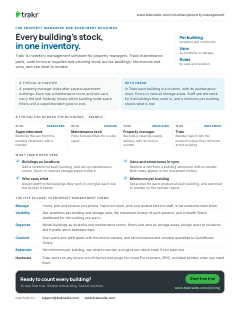
Trakr is inventory management software for property managers. Track maintenance parts, suite turnover supplies and cleaning stock across buildings, storerooms and vans, and see what to reorder.
A typical situation
A property manager looks after several apartment buildings. Each has a maintenance room, and two vans carry the rest. Nobody knows which building holds spare filters until a superintendent goes to look.
With Trakr
In Trakr each building is a location, with its maintenance room, floors or vans as storage areas. Staff see the stock for the buildings they work in, and a minimum per building shows what is low.
Add a location for each building, and set up maintenance rooms, floors or vans as storage areas inside it.
Restock a van from a building storeroom with a transfer. Both sides appear in the movement history.
Assign staff to the buildings they work in and give each role the access it needs.
Set a level for each product at each building, and see what to reorder on the reorder report.
This page on one printable sheet, sent to your inbox.
Check your inbox. We sent the Property management one-pager. Download the PDF now
Enter a full email address, like name@company.com.
Something went wrong. Try again, or email support@trakrsuite.com.
Count, pick and receive on a phone. Hand out count, pick and receive tasks to staff, or let someone claim them.
See quantities per building and storage area, the movement history of each product, and a Health Check dashboard for the building you are in.
Model buildings as locations and maintenance rooms, floors and vans as storage areas. Assign users to locations and transfer stock between them.
Scan parts and shelf labels with the phone camera, and send products and counted quantities to QuickBooks Online.
Set minimums per building, see what to reorder, and get a low-stock email if you want one.
Yes. Add a location for each building and set up storage areas inside it, such as a maintenance room, a floor or a shelf. Stock, reports and minimum levels follow that structure, and you can transfer stock between buildings. The number of locations depends on your plan.
Yes. A vehicle can be a location or a storage area. Restock it from a building storeroom with a transfer. Minimum levels belong to a location, so set the van up as a location if you want it to have its own.
Assign each user to the locations they work in, and give them a built-in role or a custom one. For each module, a role can be allowed to read, create, update or delete.
Set a minimum for each product at each building. Products below it appear on the reorder report and the Health Check dashboard, and administrators can switch on a daily, weekly or monthly low-stock email.
14-day free trial. Simple onboarding. Cancel anytime.