Minimums per product
Set the level at which each supply counts as low, and see what is below it on the reorder report.

Trakr is inventory management software for clinics, spas and cleaning crews. Count supply rooms on a phone, set a minimum for gloves, wipes and other consumables, and see what to reorder.
A typical situation
A clinic keeps supplies in two supply rooms and several treatment rooms. Gloves run out in one room while another has plenty, and nobody notices until someone asks.
With Trakr
In Trakr each room is a storage area. A minimum on each product shows what is low, an email digest tells administrators when products drop below their level, and transfers move stock between locations.
Set the level at which each supply counts as low, and see what is below it on the reorder report.
Administrators can get a daily, weekly or monthly summary of the products below their level.
Interrupted by a client? Close the app and pick the count up where you left off.
Set up each supply room, cabinet and treatment room as a storage area.
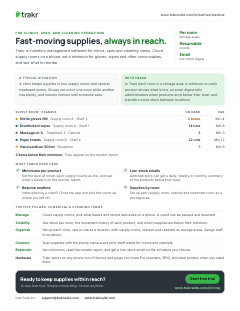
This page on one printable sheet, sent to your inbox.
Check your inbox. We sent the Medical & cleaning one-pager. Download the PDF now
Enter a full email address, like name@company.com.
Something went wrong. Try again, or email support@trakrsuite.com.
Count supply rooms, pick what leaves and record deliveries on a phone. A count can be paused and resumed.
See stock per room, the movement history of each product, and which supplies are below their minimum.
Set up each clinic, spa or site as a location, with supply rooms, shelves and cabinets as storage areas. Assign staff to locations.
Scan supplies with the phone camera and print shelf labels for rooms and cabinets.
Set minimums, read the reorder report, and get a low-stock email on the schedule you choose.
Yes. Create storage areas for each supply room, cabinet or shelf inside your location. Each area shows its own quantities, and you can nest areas as deeply as you need.
Set a minimum level for each product. Products below it appear on the reorder report and the Health Check dashboard. Administrators can also switch on a daily, weekly or monthly low-stock email for the products they choose.
Yes. If you are interrupted, close the app and open the count again to continue from where you stopped.
Yes. Add a location for each clinic or site, assign staff to the locations they work in, and transfer stock between locations. The number of locations depends on your plan.
14-day free trial. Simple onboarding. Cancel anytime.