
How to edit or remove a user
Change a teammate's details, role or locations, or remove them when they leave, and learn what Trakr keeps and what it stops.
On this page Edit a user
When someone changes jobs or leaves, update their access right away. This page shows how to edit a user and how to remove one.
Edit a user
- Go to Administration > Users.
- Click the person’s row. A small menu opens with Edit and Delete.
- Click Edit. The Edit User dialog opens with their current details.
- Change what you need: name, Email, Phone, Role, Locations or Time zone.
- Click Update User.
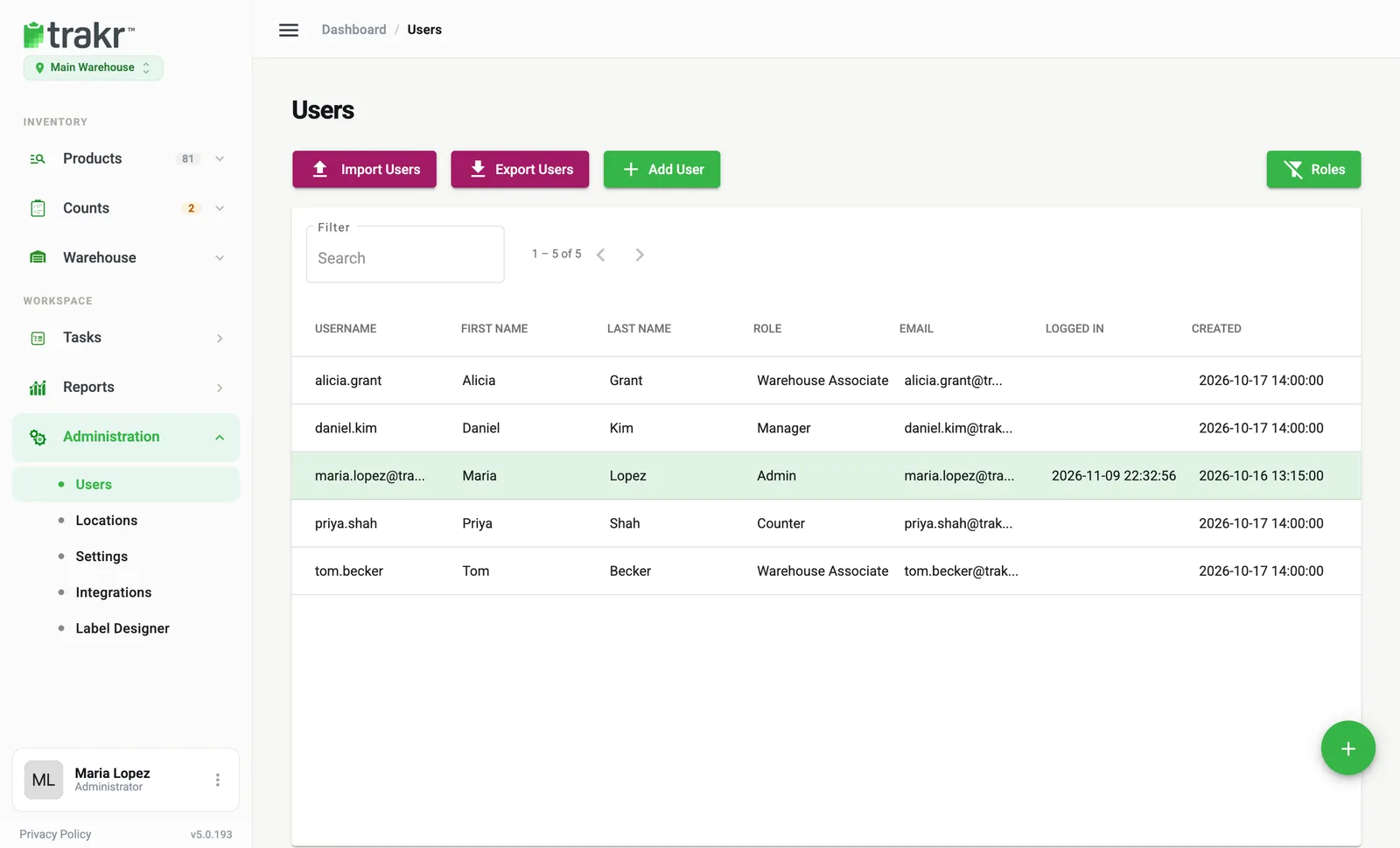
- 2A user row
You can find someone fast with the Filter box above the table. To sort, click a column heading such as Last Name or Role.
Change a role
Pick a different value in the Role field. See Roles and permissions to choose the right one.
You cannot change your own role. This stops an admin from removing their own access by accident.
Remove a user
- Click the user’s row and choose Delete.
- A confirmation box asks you to type DELETE. Type it and confirm.
The person can no longer sign in to the web app or the app. Their name stays on the counts, receipts and picks they made, and in User Activity Logs.
Good to know
- Trakr Inventory will not delete the last admin, and you cannot delete yourself. You see a message instead.
- If you are not an admin, Delete takes the person out of your locations only. They stay in Trakr for any location you do not hold.
- Removing a user frees up a seat if your plan limits how many users you can have.
- Forgot someone’s password instead? See How to reset a teammate’s password.
Common questions
Can I bring a removed user back?
There is no restore button in the web app, so contact support. If you only need to pause access for a short time, change their role to one with fewer permissions instead of deleting them.
Will I lose their counts and activity?
No. Counts, picks and receipts they made stay on record. User Activity Logs still show what they did.
Why can't I delete the last admin?
An account always needs at least one admin. Make someone else an admin first, then remove the old one.
Why can't I delete myself?
Trakr blocks this so you cannot lock yourself out. Ask another admin to remove your account.
Related articles
Was this article helpful?
Thanks, that helps us keep the guides honest. Need more help? Contact us