
How to reset a teammate's password
Help a locked-out teammate get back in: as an admin, set a new password for them or send them a password reset link by email.
On this page Option 1: set a new password for them
If a teammate forgets their password, you can get them back in quickly. There are two ways: set a new password yourself, or let them reset it by email.
Option 1: set a new password for them
Use this when you are with the person, or they cannot receive email.
- Go to Administration > Users.
- Click the person’s row, then click Edit.
- In the Password field, type a new password. A checklist shows the rules: at least 8 characters, one number, one capital letter, one small letter and one special character.
- Click Update User.
- Tell the person the new password in a safe way, such as in person or by phone call.
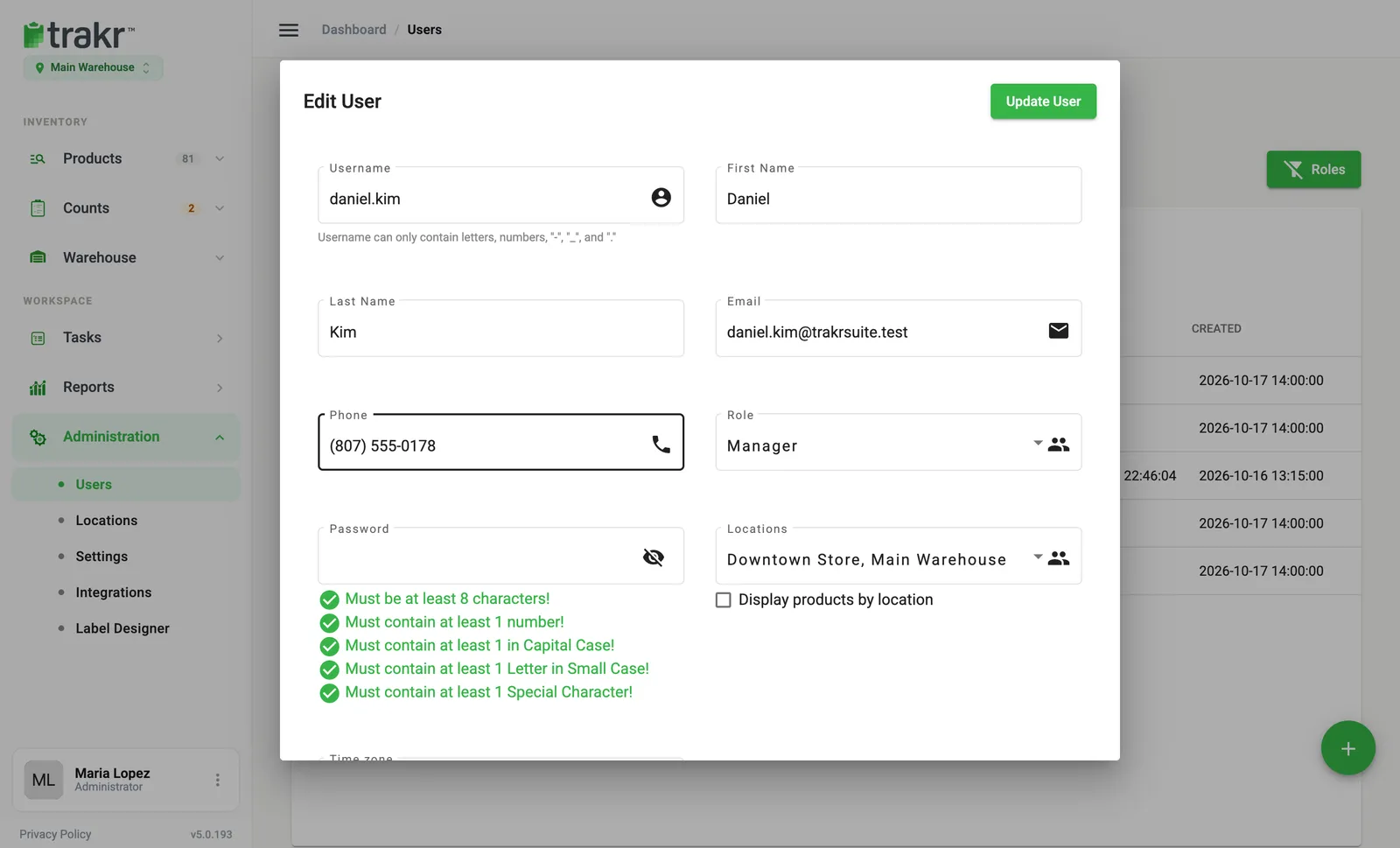
- 3Password
- 4Update User
Leave Password empty when you edit a user for any other reason. The old password then stays as it is.
Option 2: let them reset it by email
Ask the teammate to do this on the sign-in page.
- Click Reset Password on the sign-in page.
- Enter their Email, First Name and Last Name, exactly as they appear on their profile.
- Click Next. If Trakr finds more than one company for that email, they choose the right one first.
- A message says that if an account was found, a reset email has been sent.
- Open the email, click the link and choose a new password.
The link works for 24 hours, so ask them to use it the same day.
Send a reset email when you add someone
When you create a user, turn on Send password reset email to this user at the bottom of the Add User dialog. The person gets a link to choose their own password. See How to add a team member.
Good to know
- You never see anyone’s password. You can only replace it.
- Passwords are never emailed. Only the reset link is.
- If a teammate cannot sign in even with the right password, check that they have not been removed. See How to edit or remove a user.
- More help: I can’t sign in.
Common questions
How long is the reset link good for?
24 hours. After that it stops working and the person needs to ask for a new one.
The teammate says no email arrived. What now?
Ask them to check spam and confirm the email, first name and last name match their Trakr profile exactly. For security, Trakr shows the same message whether or not an account was found. If it still fails, set a new password for them in Edit User.
Can I see someone's current password?
No. Trakr never shows passwords. You can only set a new one.
Does the new password work on the phone too?
Yes. A person has one password for the web app and the Trakr Inventory app.
Related articles
Was this article helpful?
Thanks, that helps us keep the guides honest. Need more help? Contact us