
I can't sign in to Trakr
Fix sign-in problems on the Trakr web app: wrong password, a locked account, the wrong email, blocked pop-ups and teammates who can only use the app.
On this page Check these, most likely first
You cannot get past the sign-in page: the password is rejected, you see a lock message, or nothing happens when you click Next. Work down this list from the most likely cause to the least likely.
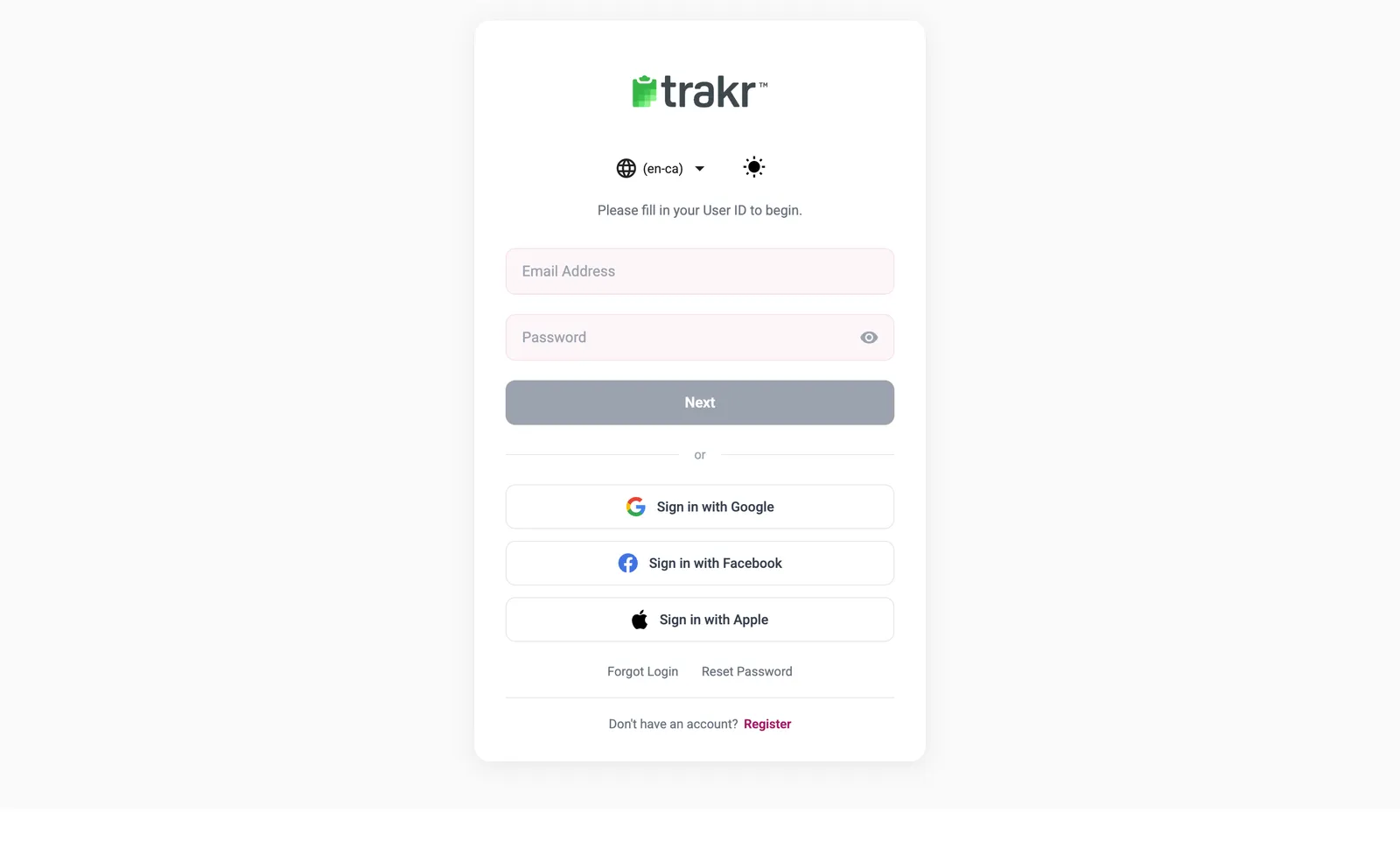
- 1Forgot Login
- 2Reset Password
Check these, most likely first
1. The password is wrong
If you see The user & password combination do not match, retype the password slowly using the eye icon in the field, and check Caps Lock. Still stuck? Click Reset Password (2), enter your email address and location, and follow the email. A new password needs at least 8 characters with an uppercase letter, a lowercase letter, a number and a special character. See How to sign in.
2. You tried too many times and the account is suspended
The web app warns you how many attempts are left. After 3 unsuccessful attempts in a row you will see Too many unsuccessful login attempts. Your account has been suspended for 30 minutes. Wait 30 minutes, then try again. Do not keep retrying, it only restarts the wait.
3. You are using a different email than the one on your account
If you see User Not Found, you may have signed up with another address. Click Forgot Login (1) and enter your email and company: Trakr emails your User ID to you.
4. You used a social sign-in with the wrong account
Sign in with Google, Facebook and Apple only work when the email on that account matches your Trakr user. If a window flashes and closes, your browser is blocking pop-ups. Allow pop-ups for the Trakr page, then try again.
5. Your account is deactivated
The message Your account is deactivated means an administrator switched your user off. Ask them to reactivate you. See Edit or deactivate a user.
6. Your user is app-only
If you see Your credentials do not allow access to this Online Management Console, your role is meant for the Trakr Inventory mobile app only. Sign in on the phone instead, or ask an administrator to change your role. See Roles explained.
7. You work for more than one company
If your email is used in more than one company, Trakr asks which location you want to work in after you sign in. Pick the right one. If the wrong company opens, sign out and sign in again.
Still can’t get in?
Send us a message with the email you sign in with and the exact words of the error. We will take it from there: Still stuck? Contact support.
Common questions
How long does a locked account stay locked?
After 3 wrong attempts in a row the account is suspended for 30 minutes. Wait it out, then sign in again with the right password, or use Reset Password if you are not sure of it.
I never got the password reset email. What now?
For safety, Trakr shows the same message whether or not an account exists for the address. Check spam, make sure you typed the email you were invited with, and ask your administrator to send you a reset email from the Users page.
Can I sign in with Google, Facebook or Apple?
Yes, the sign-in page offers all three. Use the same email address your Trakr account was created with, and allow pop-ups for the page.
Related articles
Was this article helpful?
Thanks, that helps us keep the guides honest. Need more help? Contact us