
My count numbers look wrong
Find out why on-hand quantities differ from what you counted: unfinalized drafts, the wrong location, stock moved after the count, or unit of measure.
On this page Check these, most likely first
The number in the web app is not the number your team counted. In nearly every case the count is fine and one step in between is missing. Check these from most to least likely.
Check these, most likely first
1. The count is still a draft
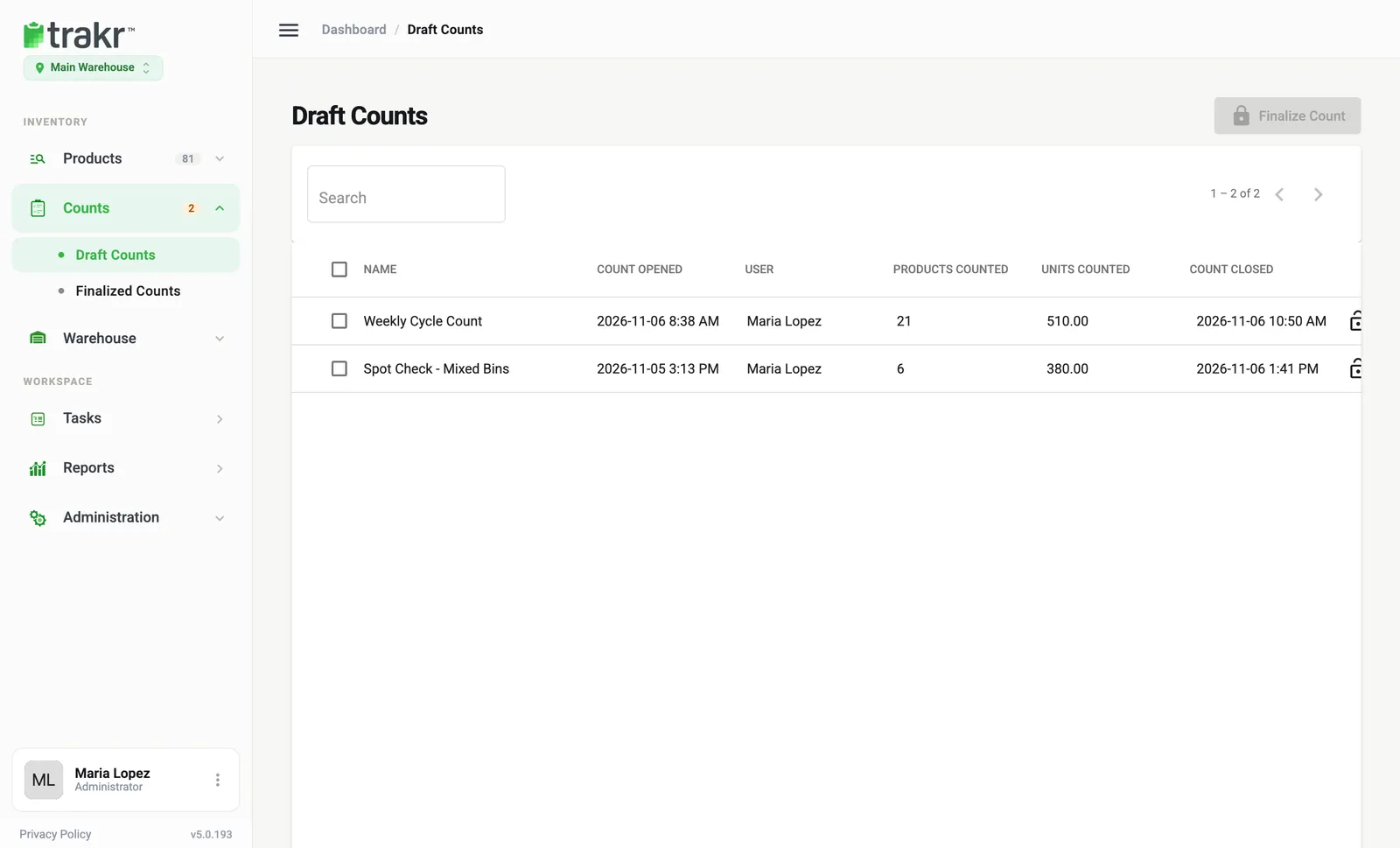
Counts made in the Trakr Inventory app arrive under Counts > Draft Counts. Quantities only update after you select the count and click Finalize Count. Look for it in Counts > Finalized Counts to confirm. See Finalize a count.
2. The phone has not sent the count yet
If the phone was offline, the count waits on the phone and is sent when it reconnects. Open the app on a good connection and let it finish. See The mobile app is not syncing.
3. You are looking at a different location
On-hand is kept per location. Check the location switcher under the logo (for example Main Warehouse) matches where you counted. See Switch location.
4. Stock moved after the count
Anything received or picked between the count and the finalize changes the picture. Open the review before you finalize and compare. See Review a count.
5. Two people counted the same product
When two devices count the same product, the most recent count is kept and the other is replaced. Agree who counts which area. See Count with a team.
6. The product counts in units of more than one
A product set up to count by the case, for example 12 per case, turns 3 cases into 36 units. Check the counting method in the product’s Count Type Methods. See Edit a product.
7. A one-off correction is all you need
If you just need to fix a quantity without a full count, use Change a quantity.
Common questions
Does a draft count change my on-hand numbers?
No. A draft count is only a proposal. On-hand quantities change when a manager finalizes it.
Two people counted the same product. Which number wins?
The most recent count is kept, and the phone that lost shows a note that a newer count from another device was kept.
Related articles
Was this article helpful?
Thanks, that helps us keep the guides honest. Need more help? Contact us