
How to see who did what (User Activity Logs)
Open User Activity Logs to see who added, changed or deleted things in the web app and app, when it happened, and restore deleted products.
On this page Open it
User Activity Logs is your Trakr Inventory audit trail. Use it to find out who added, edited or deleted something, and when.
Open it
- In the side menu, click Administration, then Settings.
- On the Administration card, click User Activity Logs.
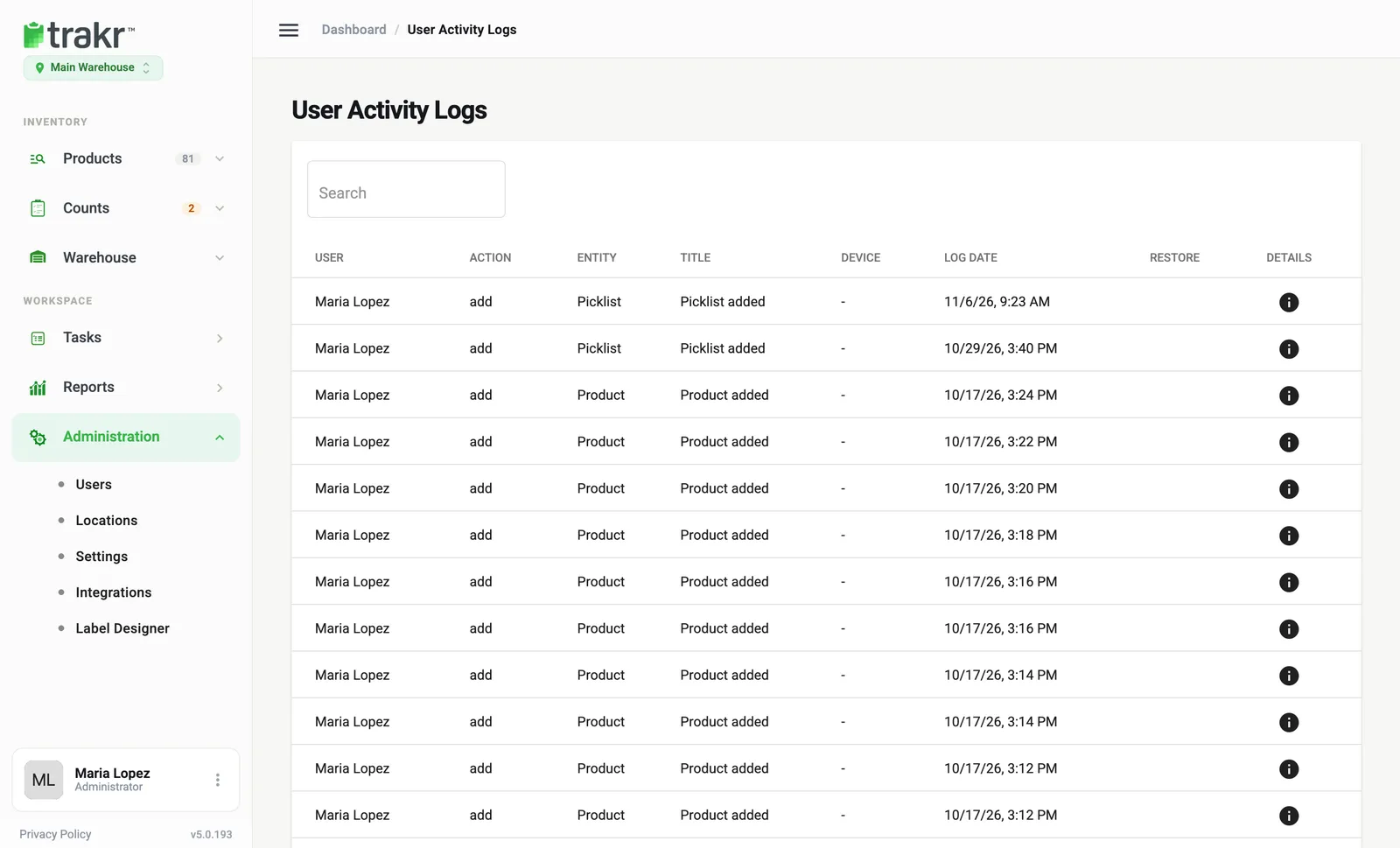
- 1Search
- 2Details
Read the table
The newest entries are at the top. Each row has:
- User: who did it, for example Maria Lopez.
- Action: add, edit, delete and so on.
- Entity: what was affected, such as Product or Picklist.
- Title: a short description, like “Product added”.
- Device: web or mobile app.
- Log Date: date and time.
Use Search to find a user, product or action.
See the details
- Click the info icon in the Details column.
- A Log Details window opens with the user, action, entity, device, date and any note or extra detail.
- Click Close when you are done.
Restore something deleted
Some delete entries show a Restore button.
- Find the delete entry, for example for a product.
- Click Restore.
- The item returns, and a new “restore” entry is added to the log.
Restore is offered for deleted products and deleted draft counts, and only while they are still archived.
Common questions
Does the log cover the mobile app?
Yes. The Device column tells you whether an action came from the web app or the mobile app. Older entries may show a dash.
Can I restore a deleted product?
Yes, from the Restore button on its delete entry, as long as the product is still archived. Deleted draft counts can be restored the same way.
Can I delete log entries?
No. The log is a record you can read, search and open for details.
Related articles
Was this article helpful?
Thanks, that helps us keep the guides honest. Need more help? Contact us