
How to use the Serialized products report
Track every serial number with its product, storage and status in the Serialized products report, filter it, and export it to CSV or Excel.
On this page Before you start
This Trakr Inventory report answers “where is this exact unit?” It lists every serial number with its product, storage and status.
Before you start
The report is shown only when the Serialized Module is turned on. Turn it on in Administration > Settings > Modules. See Modules settings.
Open the report
- Click Reports in the side menu.
- Click View on Serialized products.
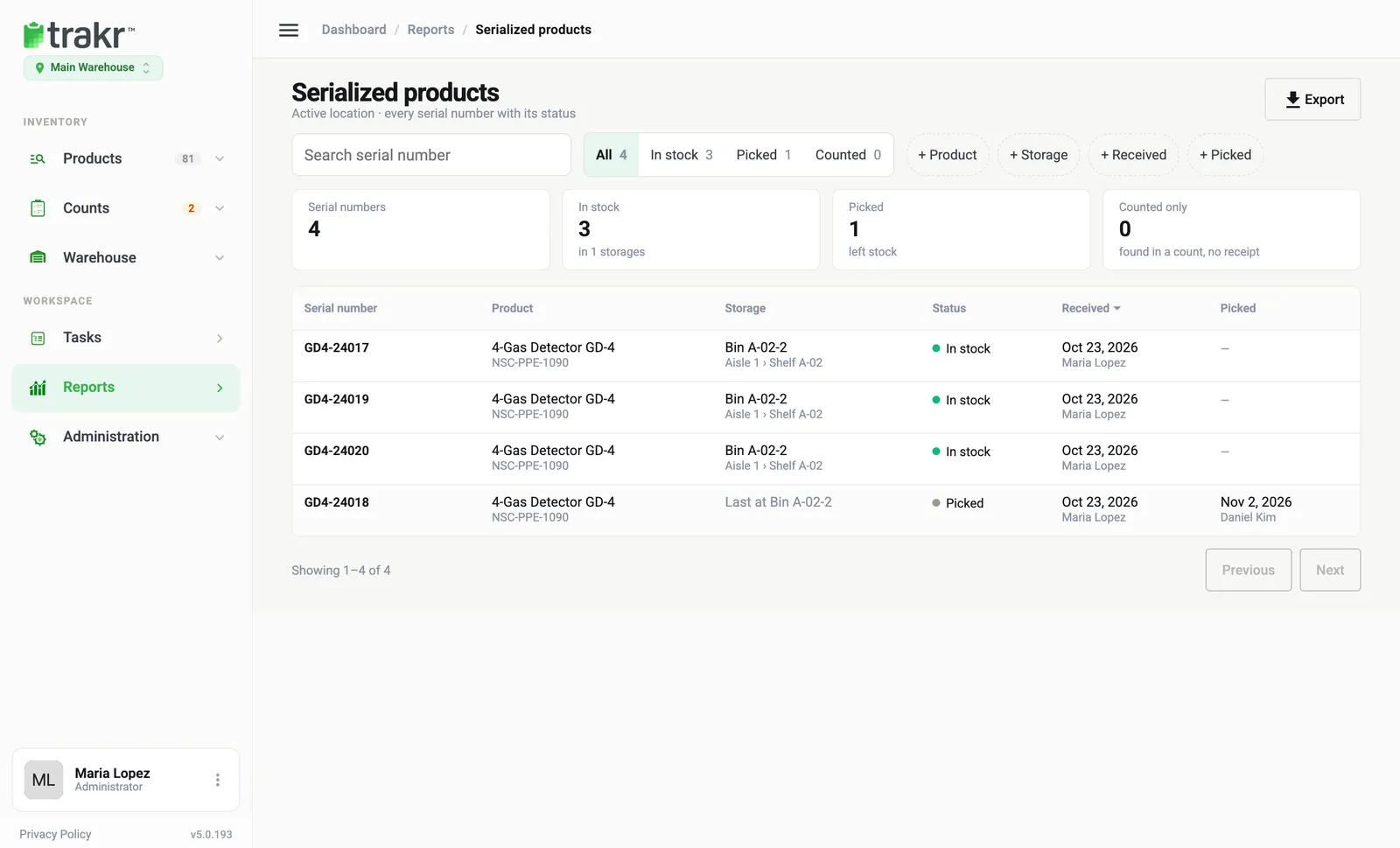
- 1Search serial number
- 2Status tabs
- 3Export
Read the page
The tiles at the top summarize the location: Serial numbers (4), In stock (3, in 1 storage), Picked (1, left stock) and Counted only (found in a count, no receipt).
The table columns are:
- Serial number, such as GD4-24017.
- Product and its SKU.
- Storage. A picked unit shows where it was last.
- Status: In stock, Picked or Counted.
- Received and Picked: the date and the person.
Find a unit
- Type part of a serial number in Search serial number.
- Click a status tab (All, In stock, Picked, Counted) to narrow the list.
- Add filters with + Product, + Storage, + Received or + Picked.
- Use Previous and Next to page through results.
Export it
Click Export at the top right and choose CSV or Excel. The file follows your current filters, not just the page on screen. See Export a report.
Common questions
What does Counted mean as a status?
The serial number was found during a count but has no receipt on record. The Counted only tile shows how many.
I don't see Serialized products in Reports.
Turn on the Serialized Module under Administration > Settings > Modules.
How do I find one serial number quickly?
Type it in Search serial number. Matches are highlighted in the list.
Related articles
Was this article helpful?
Thanks, that helps us keep the guides honest. Need more help? Contact us