
Which report answers my question?
Pick the right Trakr report in seconds: a quick table of questions, the report that answers each one, and where to find it in the web app.
On this page Which report do I use?
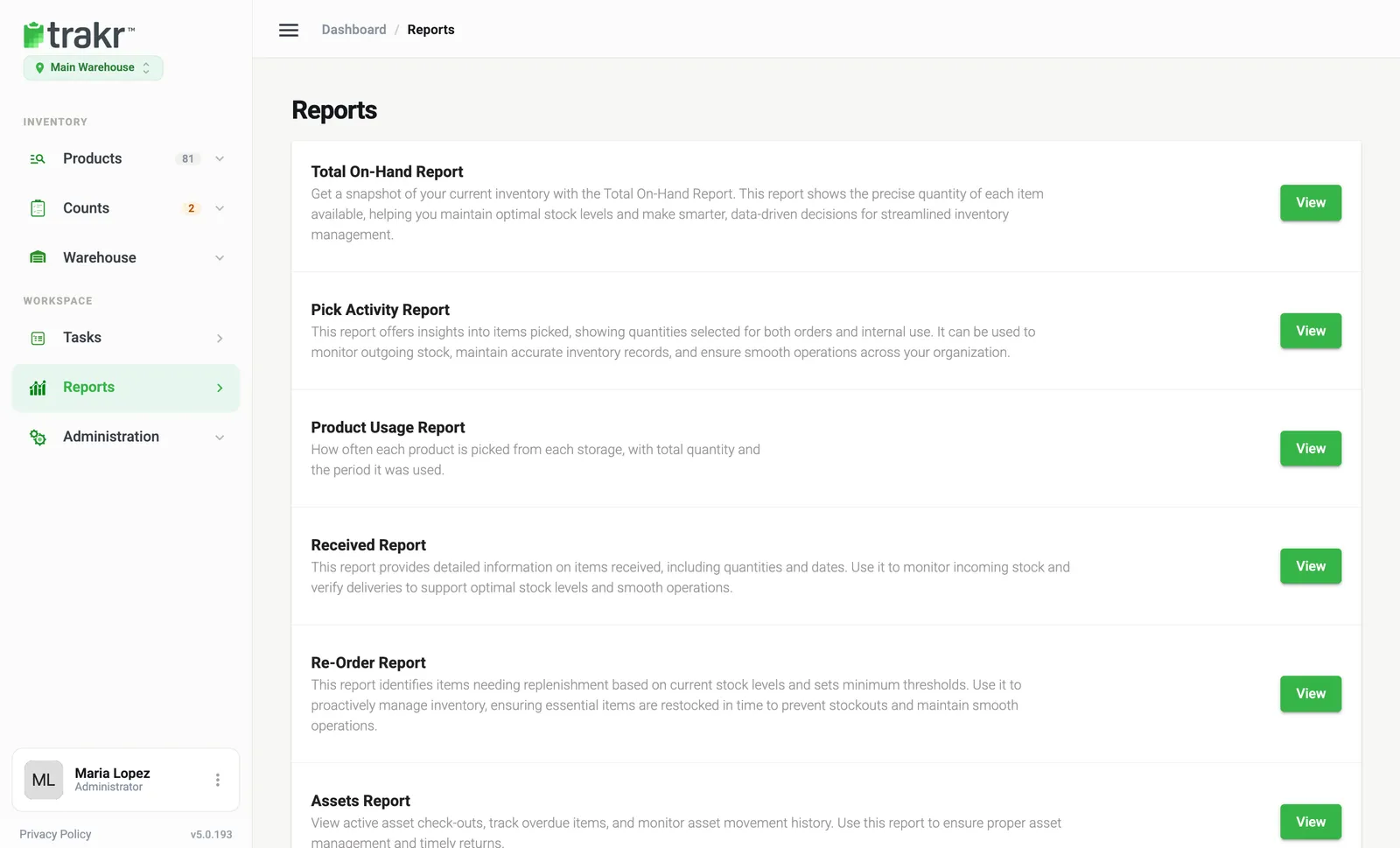
Reports in Trakr Inventory each answer one question. Open Reports in the side menu and press View next to the one you need.
Which report do I use?
| My question | Use this report | Where |
|---|---|---|
| How much of each product do I have right now? | Total Products On Hand | Reports > Total On-Hand Report |
| What should I order? | Re-Order Report | Reports > Re-Order Report |
| What arrived, when and who received it? | Received Inventory Report | Reports > Received Report |
| What was taken out, when and by whom? | Picked Inventory Report | Reports > Pick Activity Report |
| Which products do I use the most? | Product Usage | Reports > Product Usage Report |
| Where is serial number GD4-24017? | Serialized products | Reports > Serialized products |
| What changed since my last count? | Variance on the Health Check | Dashboard > Variance |
| Which products are low or never counted? | Health Check | Dashboard |
| Who did what in the web app? | User Activity Logs | Administration > Settings |
| Which assets are checked out? | Assets report | Reports > Assets Report |
Reports only some accounts see
- Assets Report appears when the Assets module is on.
- Serialized products and Product Serial Number Report appear when the Serialized module is on.
Turn modules on in Administration > Settings > Modules.
Export and filters
Most reports have a search box, and some also filter by category, storage or dates. Use Reset Filters to clear them. The XLS and PDF icons at the top right export the report. See Export a report.
Common questions
Why don't I see the Assets or Serialized reports?
They appear only when the Assets module or Serialized module is turned on under Settings > Modules.
Do reports cover all my locations?
Reports show the location selected under the Trakr logo. Switch location to see another one.
I can't see Reports in the menu.
Reports can be hidden by a user's role. Ask an administrator to check your permissions.
Related articles
Was this article helpful?
Thanks, that helps us keep the guides honest. Need more help? Contact us