
How to see what was received and picked
Use the Received Inventory, Picked Inventory and Product Usage reports to see what came in, what went out, who did it and how much was used.
On this page Received Inventory Report
Three Trakr Inventory reports show stock movement: what came in, what went out, and what you use most. All three are under Reports in the side menu.
Received Inventory Report
Open Reports, find Received Report and click View. The page is titled Received Inventory Report.
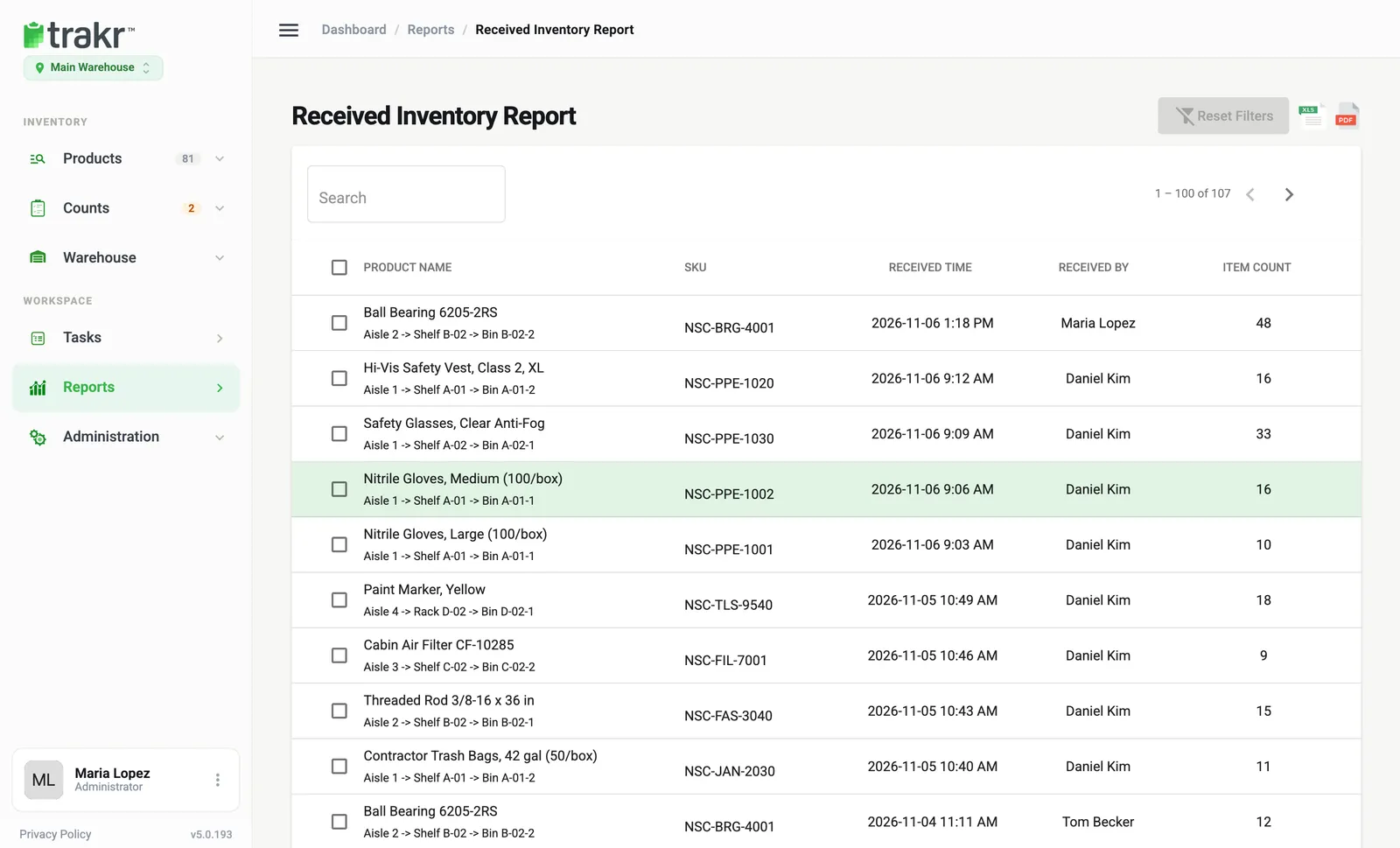
Each row is one receipt:
- Product Name, with its storage path below it, and SKU.
- Received Time.
- Received By: the person who recorded it.
- Item Count: the quantity received.
For example, Ball Bearing 6205-2RS (NSC-BRG-4001) was received by Maria Lopez, 48 units. Use it to check a delivery arrived as expected. See Receive a delivery.
Picked Inventory Report
On the Reports page, the card named Pick Activity Report opens Picked Inventory Report. It has the same layout with Picked Time, Picked By and Item Count, plus a Note column when the person added one.
Use it to answer “who took these and when?” See Pick products.
Product Usage
On the Reports page, click View on Product Usage Report.
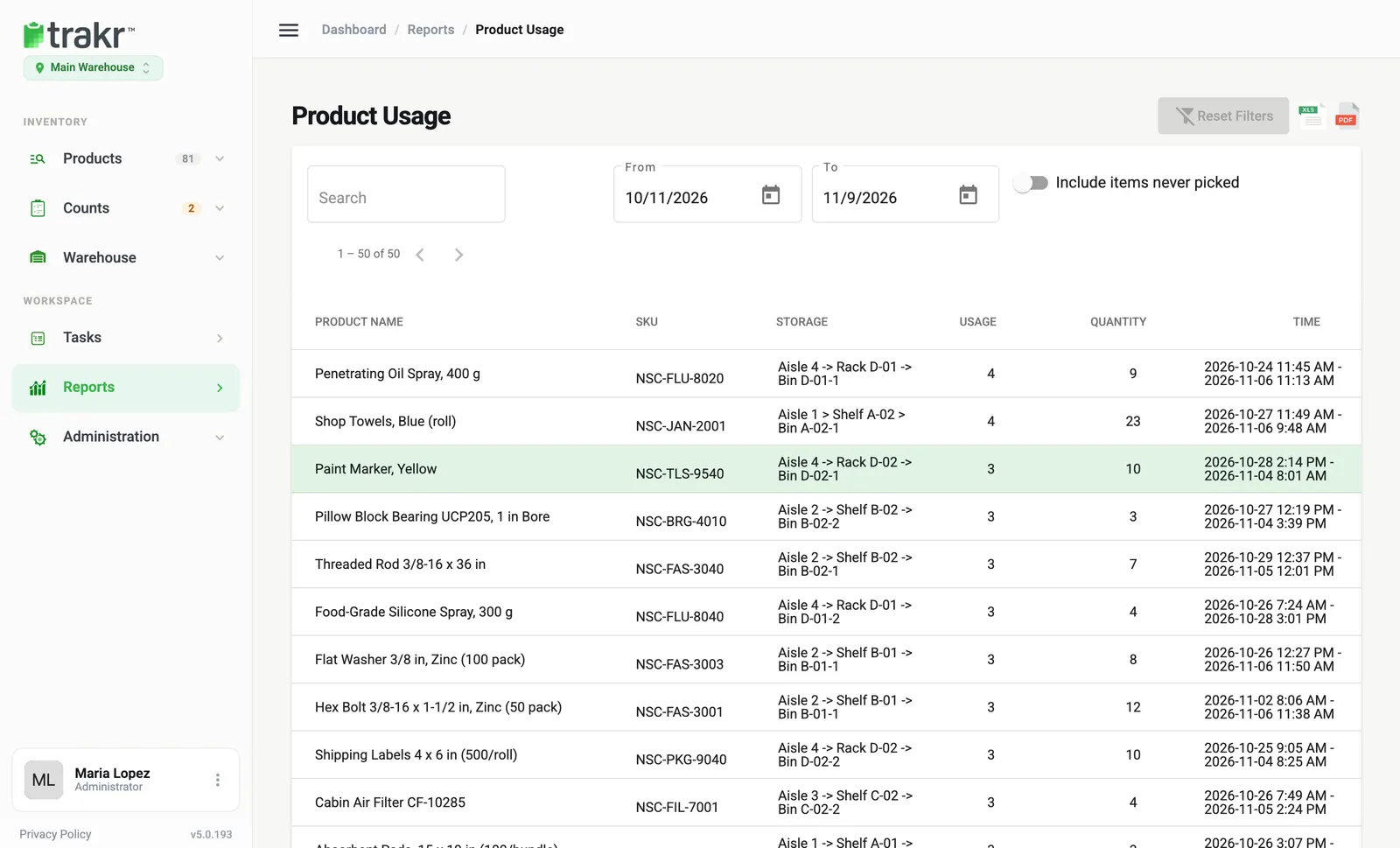
- 1From
- 2To
- 3Include items never picked
It shows how often each product was picked from each storage:
- Usage: the number of times it was picked.
- Quantity: the total units picked.
- Time: the first and last pick in the period.
Change the period
- Set From and To with the calendar buttons.
- Switch on Include items never picked to also list products with no picks. This is how you spot dead stock.
- Use Reset Filters to go back to the last 30 days.
Search and export
Each report has a Search box and XLS and PDF icons at the top right. See Export a report.
Common questions
Why does a deleted product still show in these reports?
These reports are a history of what happened. Movements stay listed even if the product was deleted later.
What does Item Count mean?
It is the quantity that was received or picked in that one entry.
What dates does Product Usage cover?
The last 30 days by default. Change the From and To dates to look at another period.
Related articles
Was this article helpful?
Thanks, that helps us keep the guides honest. Need more help? Contact us