
How to read the Inventory Health Check
Use the Inventory Health Check to see stock health, count freshness, variance, reorder needs and recent activity, and drill into each list.
On this page Open it
The Trakr Inventory Health Check turns your stock into five simple panels, each with a detail list behind it. Use it to find problems before your customers do.
Open it
- On the Dashboard, click View All on any card (Recent Activity, Stock Health, Needs Attention or Count Freshness).
- You land on a detail page. Use the back arrow to return.
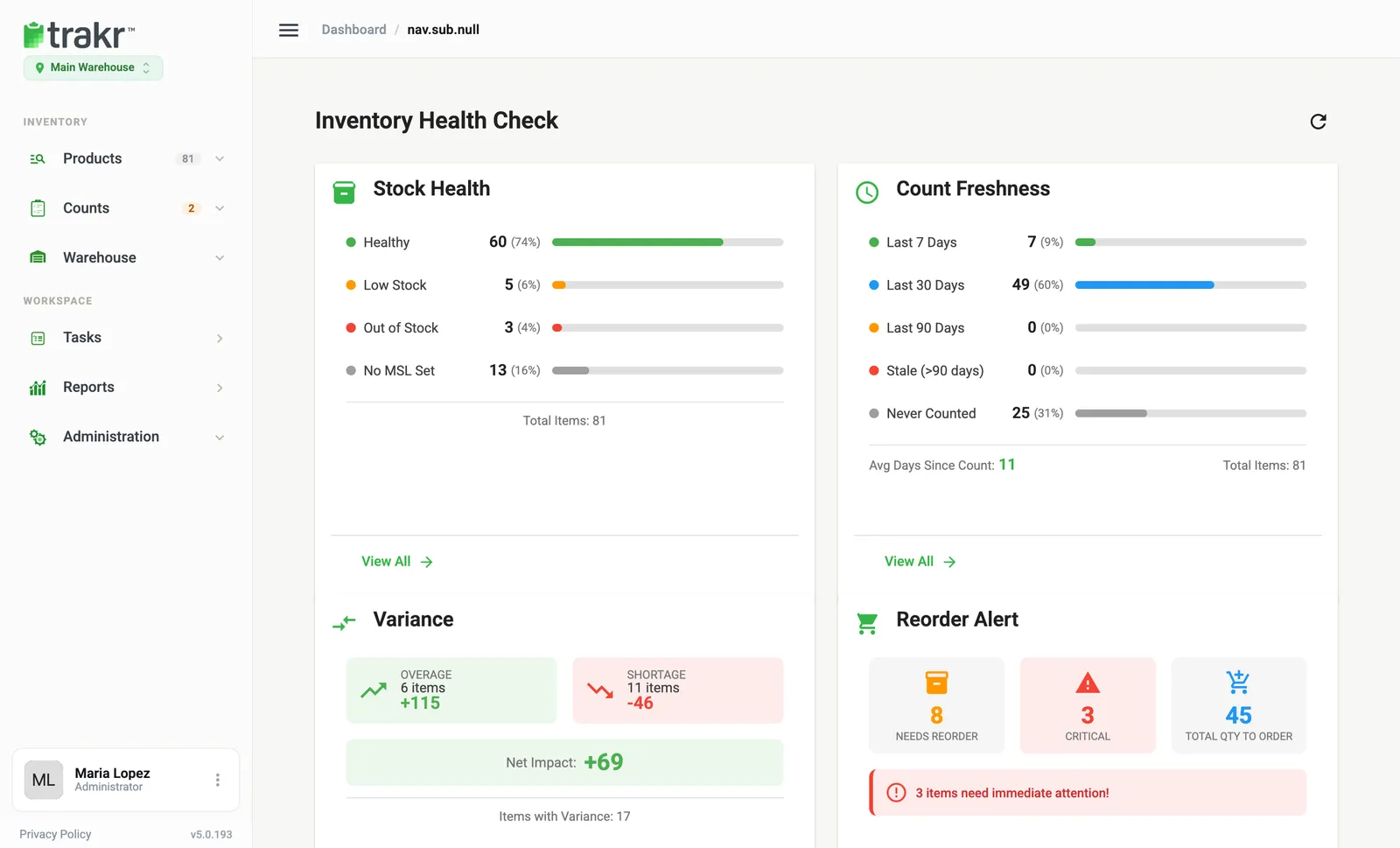
The Inventory Health Check page itself shows Stock Health, Count Freshness, Variance and Reorder Alert side by side. The refresh icon at the top right reloads the numbers.
The five panels
Stock Health
Counts each product in each storage as Healthy, Low Stock, Out of Stock or No MSL Set. Out of stock means zero on hand. Low means above zero but under the minimum. The detail list has Product Code, Product Name, Storage, On Hand, MSL, Status and Last Counted.
Count Freshness
Shows how long ago each product was last counted: 7, 30, 90 days, Stale, or Never Counted. The detail list shows Last Counted, Days Since Count and Freshness.
Variance
Lists products whose current on-hand differs from their last finalized count. See Variance: where to find it.
Reorder Alert
Shows Needs Reorder, Critical and Total Qty to Order. The detail list adds Reorder Qty, which is the minimum minus what you have on hand. For a sortable, exportable list use the Re-Order report.
Recent Activity
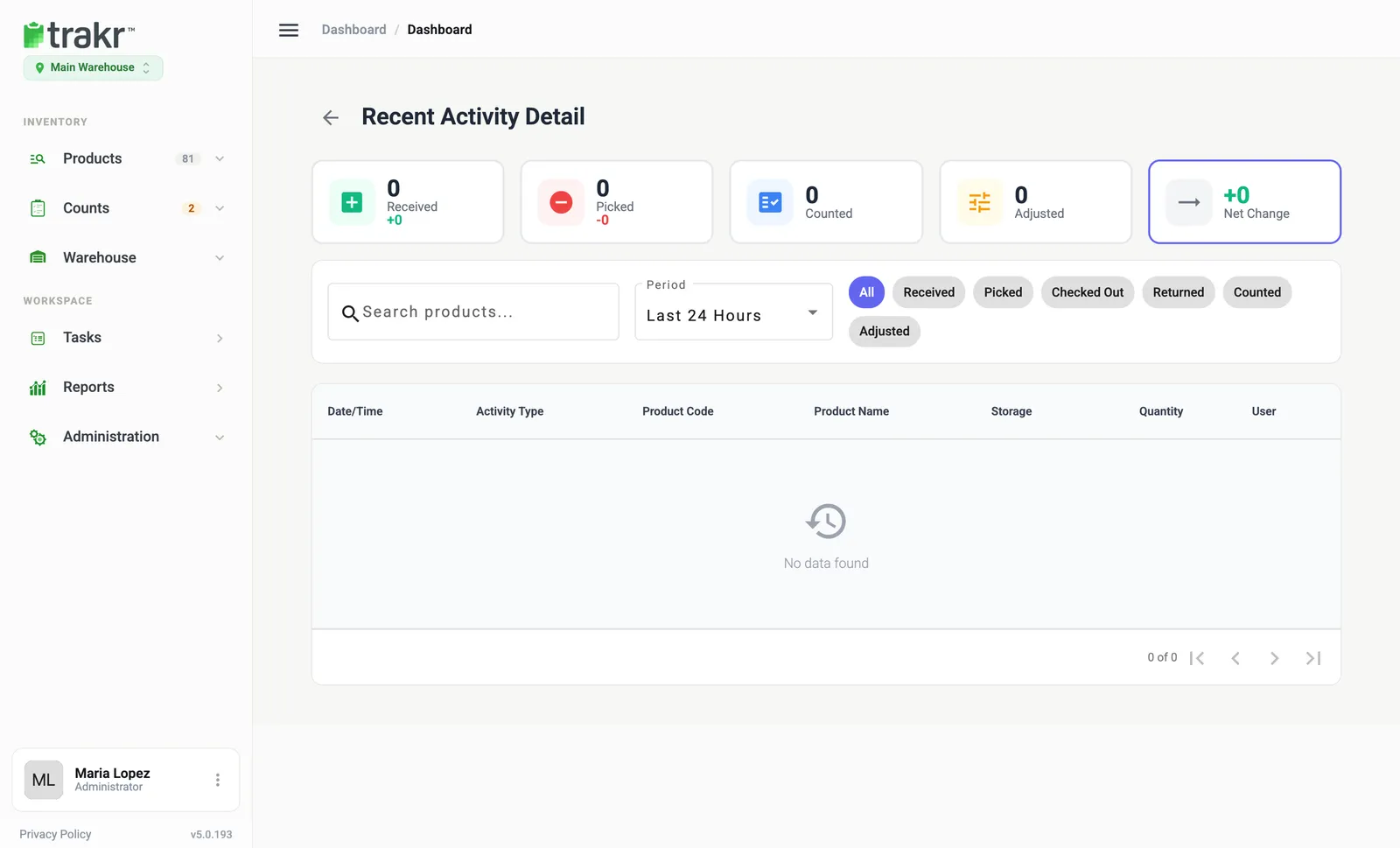
Shows what was received, picked, counted, adjusted, checked out and returned. Use the Period list to widen beyond 24 hours, and the filter chips (Received, Picked, Checked Out, Returned, Counted, Adjusted) to narrow down. The User column shows who did it.
Good to know
- Every detail page has a Search products… box.
- Numbers are for the location selected under the logo.
Common questions
What does variance mean on the Health Check?
It is the difference between what is on hand now and the quantity from the last finalized count of that product in that storage. Only products where the two differ are listed.
Can I see more than 24 hours of activity?
Yes. On Recent Activity Detail, use the Period list next to the search box to change the time range.
Why is a product missing from Variance?
Products that were never counted have nothing to compare against, so they do not appear there.
Related articles
Was this article helpful?
Thanks, that helps us keep the guides honest. Need more help? Contact us