
How to turn Assets and Serialized products on or off
Use the Modules card in Settings to switch on Assets and Serialized products for your location, and see what each switch adds to the web app.
On this page Before you start
Modules let you add features only when you need them, so the web app stays simple for teams that do not. Right now you can switch on tracking for assets and for serialized products.
Before you start
You need permission to change Settings. Modules apply to one location at a time, so pick the location from the switcher under the Trakr Inventory logo first, for example Main Warehouse.
Turn a module on or off
- Open Administration > Settings.
- Scroll to the Modules card.
- Switch Asset Module or Serialized Module on or off.
- Choose Save in the bar at the bottom.
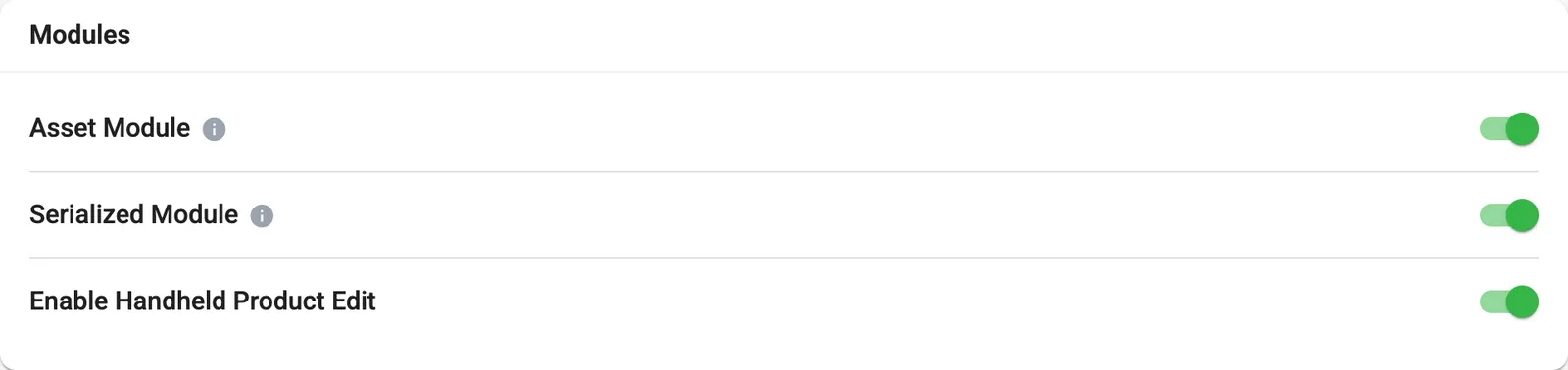
- 1Asset Module
- 2Serialized Module
- 3Enable Handheld Product Edit
What each switch does
| Switch | What it gives you |
|---|---|
| Asset Module | Track assets that are checked out and returned, like equipment and tools. |
| Serialized Module | Shows serialized product options and the Product Serial Number report in the web app. |
| Enable Handheld Product Edit | Controls product editing on handheld devices. |
Asset Module
Once it is on, the Products page gets asset options, and you can follow equipment as it goes out and comes back. Start with Assets overview.
Serialized Module
Once it is on, products can be tracked by individual serial number, and the serialized report becomes available. See Serial numbers and the Serialized products report.
Common questions
Is there a switch for Counting?
No. Counting is always available. The Modules card has switches for the Asset Module, the Serialized Module and Handheld Product Edit.
Do the switches apply to all my locations?
They apply to the location you are working in. Switch locations with the location switcher under the Trakr logo, then change that location's modules.
Will I lose data if I switch a module off?
The switch controls what is shown and available in the web app. If you are unsure, ask support before turning off a module your team already uses.
Related articles
Was this article helpful?
Thanks, that helps us keep the guides honest. Need more help? Contact us