
Integrations: what you can connect to Trakr
See how Trakr connects to QuickBooks Online, offers API access for your own tools, and moves data in and out with Excel and CSV files.
On this page Which one do I use?
Trakr Inventory works with the tools you already use. Pick the option that fits how your team works: an accounting link, your own software, or a spreadsheet.
Open Administration > Integrations to see the Integrations Library.
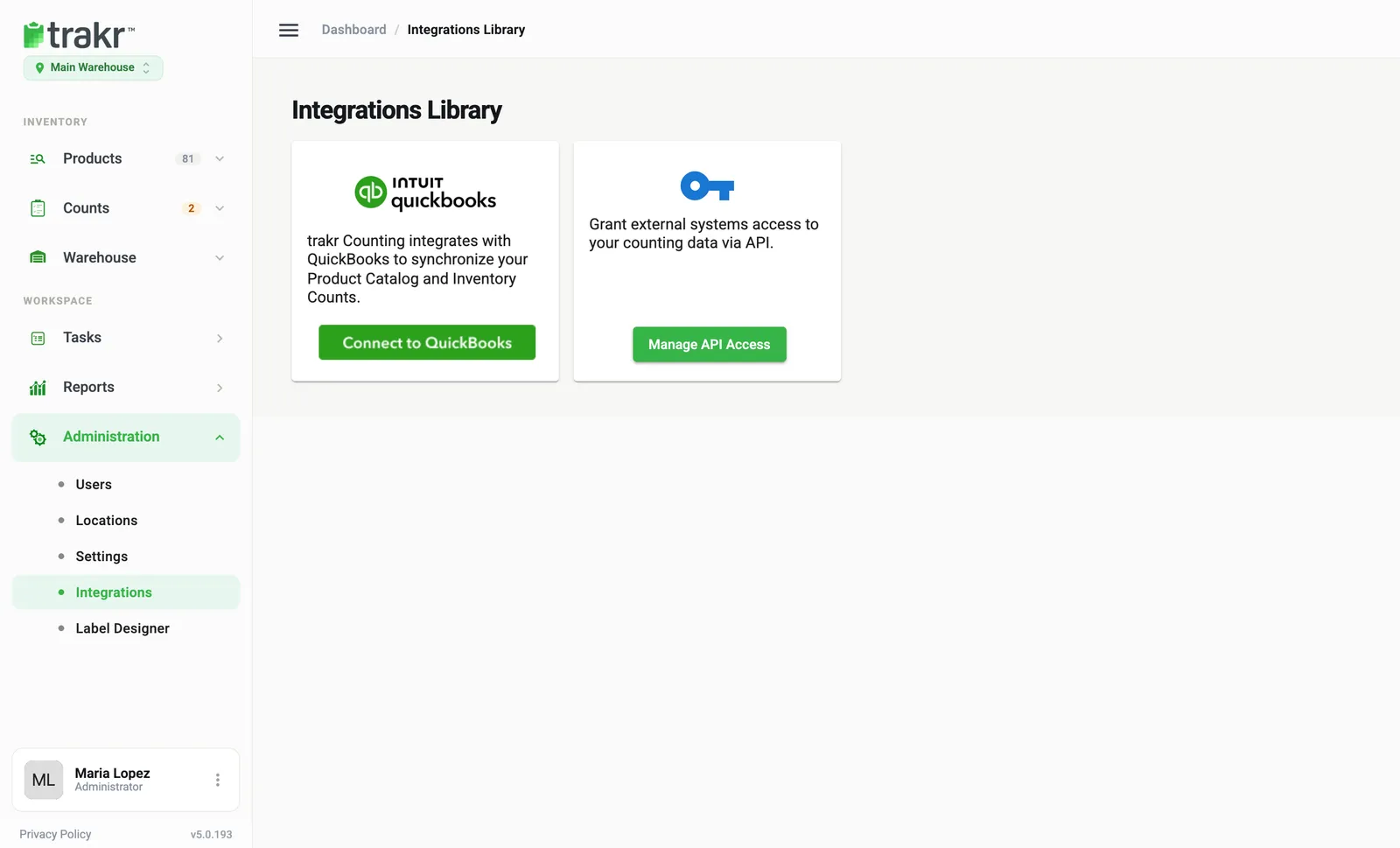
- 1Connect to QuickBooks
- 2Manage API Access
Which one do I use?
| I want to… | Use | Where |
|---|---|---|
| Keep products and quantities in step with my books | QuickBooks Online | Connect to QuickBooks |
| Let my developer or another system read and write Trakr data | API Access | Manage API Access |
| Load or take out data in bulk, without any setup | Excel and CSV | Products Actions menu and the Reports page |
QuickBooks Online
Connect once, then send products and counted quantities to QuickBooks, or import your QuickBooks items into Trakr. You start each sync yourself. Steps are in Connect QuickBooks Online.
API access
For teams with a developer. You generate a key in the web app, and your software sends it with each request. See Get API access for your own systems.
Excel and CSV
No connection is needed for spreadsheets.
- Import: on the Products page choose Actions > Import Products > Excel / CSV to load products, and follow the four steps. See Import products.
- Export: reports such as Total Products On Hand can be downloaded as Excel or PDF. See Export a report.
Good to know
Whether a card shows depends on your plan and on your role’s access to Integrations. If a card is missing and you expect to see it, ask an administrator or contact support.
Common questions
Does Trakr create purchase orders in QuickBooks?
No. Trakr syncs inventory items and on-hand quantities. It does not create bills, purchases or purchase orders.
Can I move data in a spreadsheet instead?
Yes. You can import products from an Excel or CSV file, and export reports as Excel or PDF.
Where do I find the Integrations page?
In the side menu, open Administration and choose Integrations. The page is titled Integrations Library.
Related articles
Was this article helpful?
Thanks, that helps us keep the guides honest. Need more help? Contact us