
How counting works in Trakr
Understand the Trakr Inventory counting cycle: count on your phone, review the draft in the web app, then finalize it so your inventory count is closed.
On this page The three stages
Counting is how you check that the stock in Trakr matches the stock on your shelves. It works in three stages, and knowing them makes everything else in this section easy.
The three stages
- Count on the phone. You or your team walk the shelves with the Trakr Inventory mobile app and enter what you see.
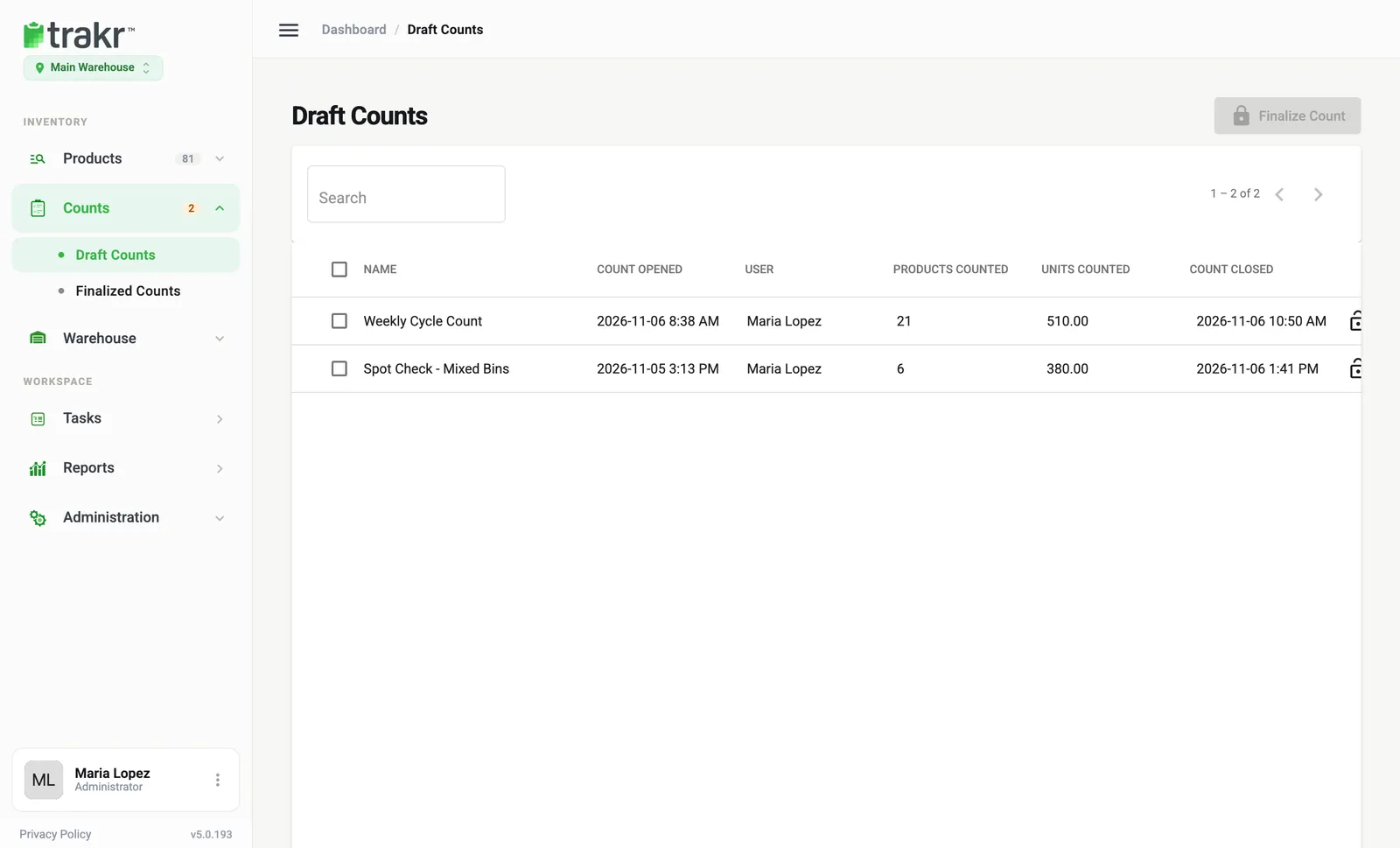
- Review the draft in the web app. Each count shows up under Counts > Draft Counts. A draft is open: you can read it, send it, or delete it, and nothing is final yet.
- Finalize. When you are happy with the numbers, you finalize the count. It moves to Counts > Finalized Counts, where it is kept as a closed record.
What each place is for
| Where | What you do there |
|---|---|
| Trakr Inventory app | Start a count, scan or type quantities, finish |
| Counts > Draft Counts | See counts as they arrive, open the report, finalize |
| Counts > Finalized Counts | Look back at closed counts, export, or revert to draft |
Good to know
- The web app does not start counts. There is no “new count” button in the web app. Use the phone, or give someone the job with a task.
- A draft does not move stock. Quantities in Trakr stay as they are until you finalize and choose to update them. See Finalize a count.
- Counts are sessions. Each count has a name, an opener and a time. Different people can run different counts at the same time. See Count with a team.
- Finishing on the phone is not finalizing. Tapping Done in the app tells you the counter is finished. The count stays a draft until a manager finalizes it in the web app.
- Products you did not count are left alone. They are never recorded as zero.
Which article do I need?
- Starting out: Start a count
- Counting one storage or one category: Count by storage or category
- Checking numbers: Review a count
- Closing it: Finalize a count
- Fixing one quantity: Change a quantity
Common questions
Where do I start a count in the web app?
You don't. Counts are started in the Trakr Inventory mobile app. As soon as a count syncs, it appears in the web app under Counts > Draft Counts.
Does counting change my stock levels right away?
No. A draft count only records what was counted. Your on-hand numbers change only when you finalize and choose to update them.
Can I count without a signal?
Yes. The app saves your counts on the phone and sends them when it is back online.
Related articles
Was this article helpful?
Thanks, that helps us keep the guides honest. Need more help? Contact us