
How to export your product list
Export your products to an Excel file from the Product Catalog, including barcodes, categories, storage paths and minimum levels, in a few steps.
On this page Export your products
Need your Trakr Inventory product list in a spreadsheet, for a backup, a purchase order or a bulk edit? This article shows you how to download it in one click.
Export your products
- Go to Products > Product Catalog.
- Optional: narrow the list with the search box and filters. The export follows what you see.
- Click Actions, then Export Products, then Excel.
- Wait a moment while the file is prepared. The button shows a spinner meanwhile. Your browser then downloads the file.
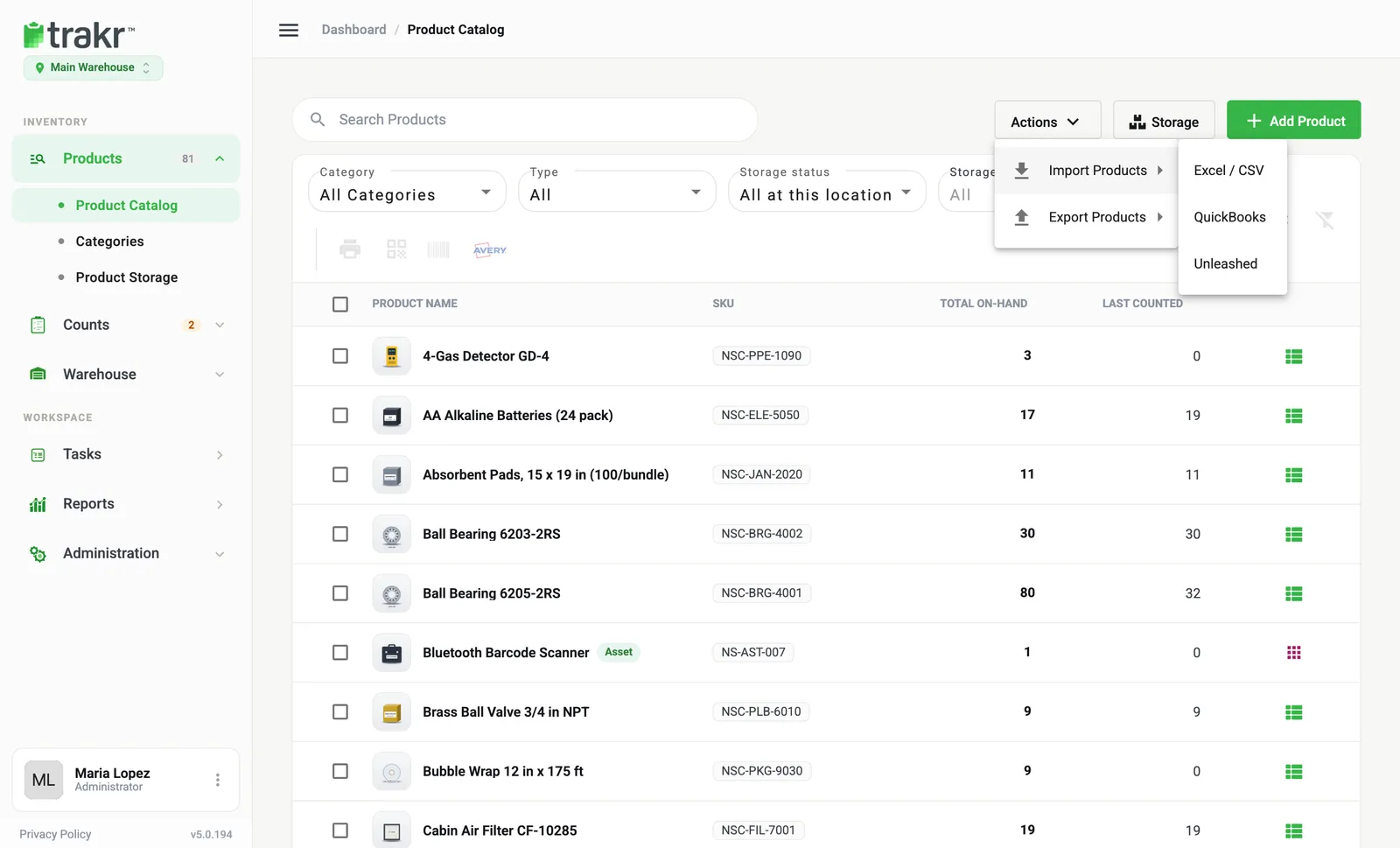
- 1Actions
- 2Export Products
You only see Export Products if your role can view products.
What is in the file
One row per product, with these columns:
- SKU and Name (both marked in red in the header)
- Product Description
- Product Count Type and Product Count Type Quantity
- Product Barcode (several barcodes are separated by commas)
- UOM, Product Cost Price and Product Retail Price
- Your minimum levels, under the labels you chose in Settings
- Product Brand and Category
- Your custom product fields, Tags and Storage Paths
- Is Asset and Asset Number, if the Asset Module is on
Good to know
- The export covers the active location. Switch location first if you need another one.
- QuickBooks appears in the same menu if that integration is on for your account. It opens the Integrations page instead of downloading a file.
- For stock quantities and movement, use the Reports.
Common questions
Does the export include every product?
It exports what the list shows. If you have a search or filters on, only those products are included. Clear them first to export everything at the active location.
Can I edit the file and import it back?
Yes. The export uses the same kind of columns as the import, so it is a good way to make bulk changes. Products are matched by SKU.
Is the export a CSV?
The Product Catalog export is an Excel (.xlsx) file.
Related articles
Was this article helpful?
Thanks, that helps us keep the guides honest. Need more help? Contact us